PracticeERP

PracticeERP

KPIs and Reports

PracticeERP Key Reports, KPIs & Dashboard Components
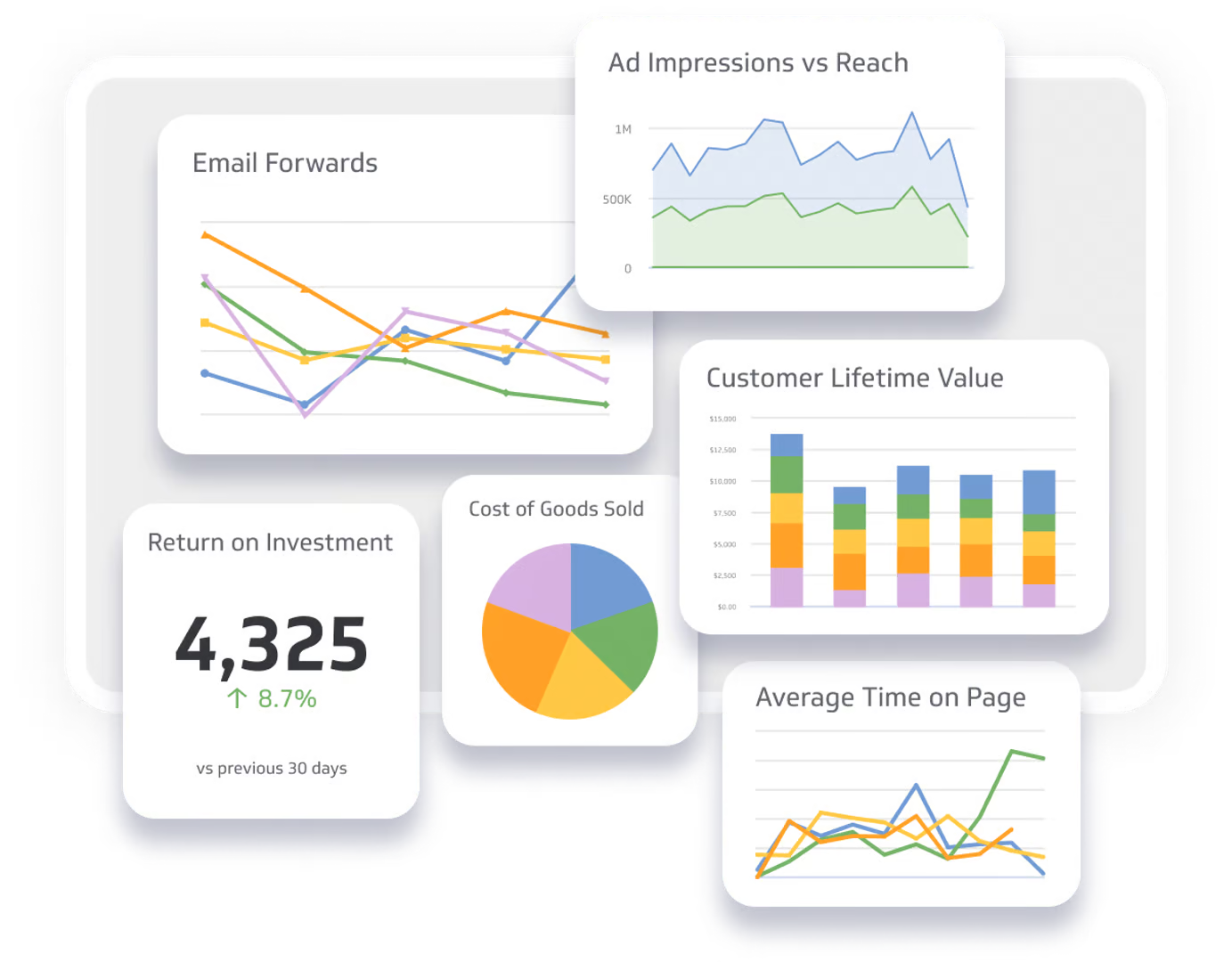
Dashboard displaying various KPIs including Email Forwards, Ad Impressions vs Reach, Customer Lifetime Value, Return on Investment, Cost of Goods Sold, and Average Time on Page, relevant to PracticeERP's reporting capabilities.

KPIs & Dashboard Components

  • Accounts Payable 
  • Banking 
  • Billing & A/R 
  • Controller/CFO 
  • First Impressions & Logistics 
  • Manager 
  • Partner 
  • Sales Representative
  • Staff Accountant 
  • Task Flow Administrator
  • A/P 
  • A/R 
  • Banking 
  • Billing 
  • Clients 
  • Deliverables 
  • Documents 
  • Firm Analytics 
  • G/L 
  • Logistics 
  • My Clients 
  • My CRM 
  • My Department 
  • My Office 
  • My Pod 
  • My Team 
  • My Workspace 
  • Practice ERP Help 
  • Shipping 
  • Task Flow 
  • Team 
  • Trend Analysis 
  • WIP 
  • Client Dashboard 
  • Client A/R Balance 
  • Client Grading 
  • New Client Revenue Report 
  • Lost Client Revenue Report 
  • Client Realization 
  • Client by Client Group Codes  
  • Client Payments 
  • Client Project Templates 
  • Client Staff Assignment (Count of Assigned Roles per Client) 
  • Client Employee Assignments 
  • Partner Hours & Production – By Client 
  • Employee (Primary Directory) 
  • Employee Budget Vs. Actual YTD (by Week) 
  • Employee Production (with Cost) 
  • Employee Role Assignment 
  • Employee Tasks (Budget to Actual) 
  • Employee Time, Production and Utilization by Client (List View) 
  • Expense Reports (Paid, Unpaid, to Approve) 
  • Time or Timers (Not Recorded) 
  • Days Since Employee’s Last Time Entry 
  • Previous 7 Days Time Recorded 
  • CPE Hours Entered 
  • Time (by Assurance Manager, CAS Manager, Partner, Primary Manager) 
  • Time and Production (by Client, Client Group) 
  • Time and Utilization (by Department Manager, Office Manager, POD Leader, Supervisor) 
  • Time by Employee and Date Summary 
  • Time, Production and Utilization by Employee  
  • Utilization by Office Summary 
  • YTD Budget to Actual (Time and Utilization) 
  • Billable Budget to Actual Time (YTD Graph) 
  • Budget to Actual (by Department Manager, Direct Supervisor, Loc Manager, Office Manager, Pod Leader, Sup, This Week To Date, Detailed View, Last Week, MTD & YTD, My Workspace View) 
  • Missed Budget Total Hours (Oversight) 
  • Billable Hours (Manager, Primary Partner) 
  • Non-Billable Hours (Manager, Primary Partner) 
  • By Employee (by Department, Office, POD, Supervisor, My Team) 
  • By Assurance Manager, Assurance Partner, Bill To Client, Client Grade, Client Niche, Line of Business, Originating Partner, Payroll Manager, Primary Manager, Primary Partner, Project, Project Category, Project Type, Service Item, Work Client 
  • Realization – This Fiscal Year, Last Fiscal Year 
  • Sales (by Assurance Manager, CAS Manager, Originating Partner, Primary Manager, Primary Partner) 
  • Leverage | Staff vs Primary Manager (KPI) 
  • Leverage | Staff vs Primary Partner (KPI) 
  • Invoice History (By Client) 
  • Invoice Payment History  
  • CRM To Dos 
  • Lead or Prospect  
  • Opportunity View  
  • Referral Partner 
  • Open AR +60 Days (Assurance Manager, By Client Office, By Originating Partner, By Primary Manager, By Primary Partner, CAS Manager, Originating Partner, Partners, Primary Manager) 
  • Open AR Total (Assurance Manager, CAS Manager, Originating Partner, Partners, Primary Manager) 
  • AR Reconciliation by Client (Last Month, YTD, Hard Code) 
  • Open WIP – As of Date, Dashboard, Client Dashboard, Create Invoices, Detailed View, Time by Employee (Department, Office, POD, Supervisor) 
  • Open WIP +60 Days (Assurance Manager, By LOB, By Originating Partner, By Primary Manager, By Primary Partner, By Work Client Office, CAS Manager, Originating Partner, Primary Manager, Primary Partner) 
  • Open WIP Aging by Bill To Client, Client Group 
  • Open WIP by Assurance Manager, Assurance Partner, Bill To Client, Client Group Code, Billing Admin, Billing Category, CAS Manager, Line of Business, Originating Partner, Payroll Manager, Primary Manager, Primary Partner, Project, Service Item, Work Client (For Excel Export), Work Client Office 
  • Open WIP not Billed (Client Dashboard) 
  • Open WIP Total (Assurance Manager, CAS Manager, Originating Partner, Primary Manager, Primary Partner) 
  • Open WIP Reconciliation by Work Client (Last Month, YTD) 
  • Progress Available (As of Date) by Bill To Client, Client Group, Client Office, Client Office & Client, Detailed List 
  • Progress Applied 
  • Progress Billed 
  • Active Projects 
  • Due Today 
  • Due This Week 
  • Due Next Week 
  • Days Since Last Move 
  • Completed Projects 
  • Overdue Projects 
  • By Employee 
  • By Various Managers and Departments (A/B Clients, Assurance Manager, CAS Manager, My Departments, My Direct Team, My Offices, My PODs, Originating Partner, Partners, Primary Manager, Department Manager, Direct Supervisor, Office Manager, POD Leader) 


Essential ERP Reports to Track KPIs and Performance
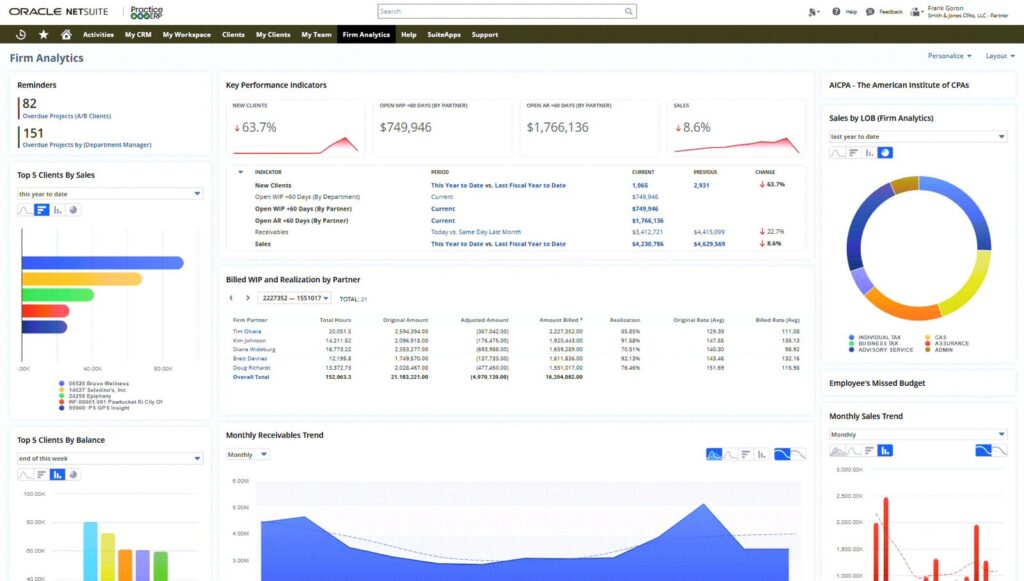
  • Dashboard displaying firm analytics with key performance indicators, project status, overdue projects, and financial trends related to PracticeERP's ERP solutions.
  • Slide Content

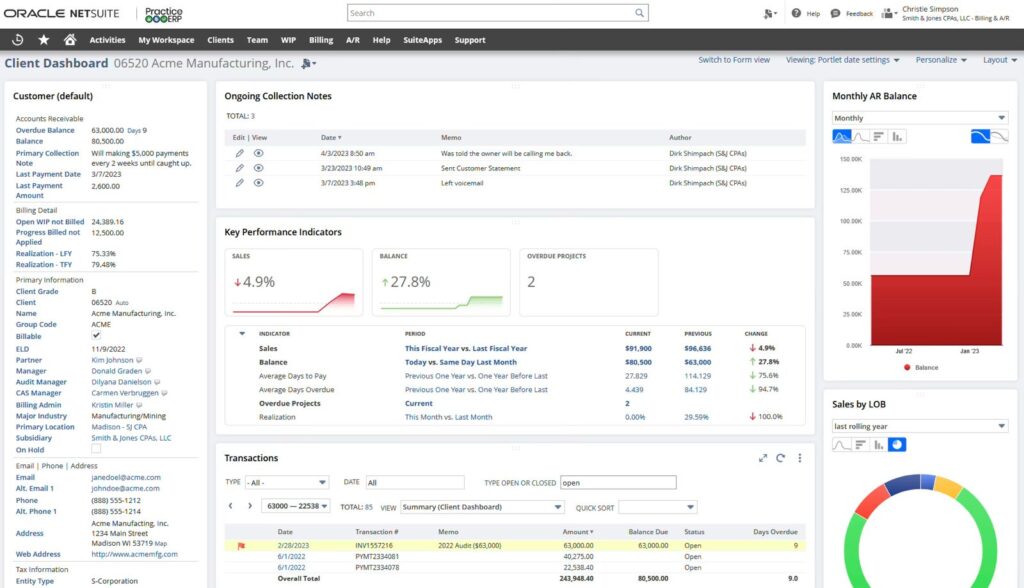
    Client dashboard interface displaying key performance indicators, ongoing collection notes, and financial metrics for Acme Manufacturing, relevant to PracticeERP's reporting capabilities.
  • Dashboard interface displaying key performance indicators (KPIs) for tax management, including overdue projects, open WIP, and sales metrics, relevant to PracticeERP's reporting capabilities.
  • Dashboard view of PracticeERP's My Team section displaying reminders, overdue projects, key performance indicators, and budget metrics, illustrating analytical capabilities for business performance tracking.
  • Dashboard view of PracticeERP workspace displaying reminders, budget tracking, and active project details for effective KPI management and reporting.
  • CRM dashboard interface displaying PracticeERP features, including key performance indicators, reminders, tasks, and opportunities for managing client relationships effectively.
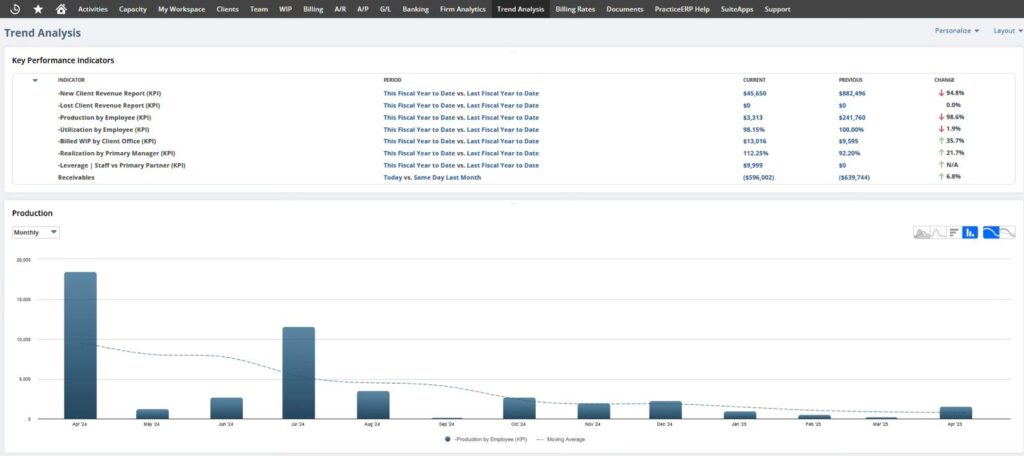
  • Trend analysis dashboard displaying key performance indicators (KPIs) such as client revenue reports, employee productivity, and billing metrics, with a production chart illustrating monthly data trends for informed business decisions.
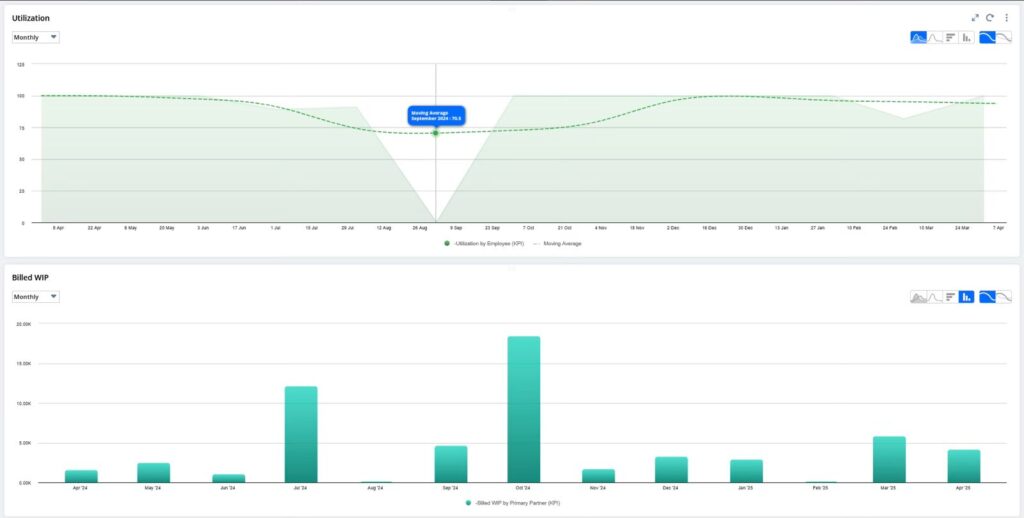
  • Utilization and Billed WIP charts displaying monthly performance metrics for employee utilization and work in progress, relevant to PracticeERP's reporting capabilities.
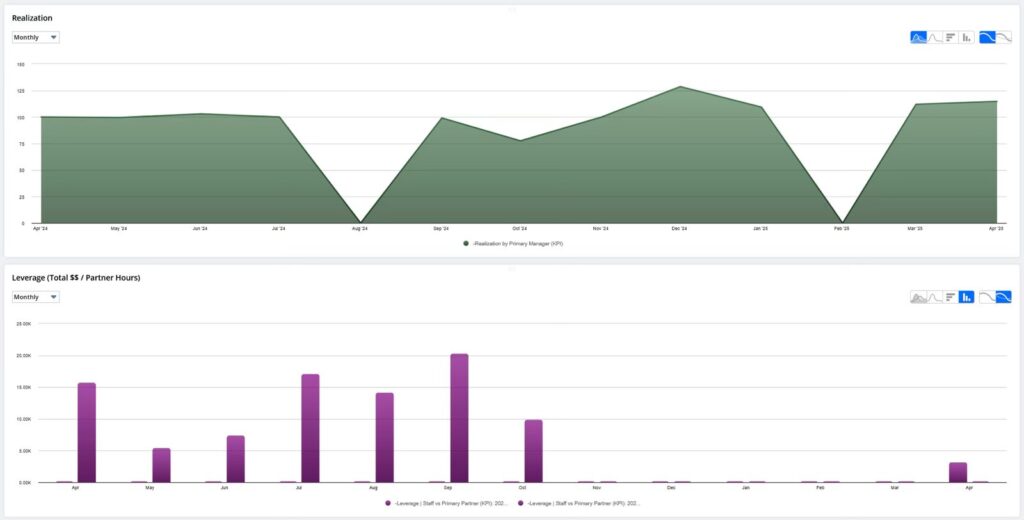
  • Monthly realization and leverage reports displaying trends in performance metrics for PracticeERP, highlighting key performance indicators (KPIs) relevant to business analytics.