PracticeERP

PracticeERP

Lead To Cash In One System

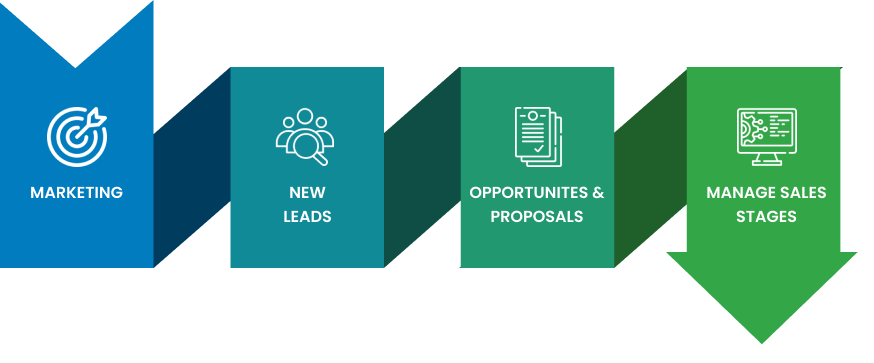
Lead-to-cash process diagram illustrating marketing, new leads, opportunities and proposals, and managing sales stages for streamlined client management and revenue tracking.
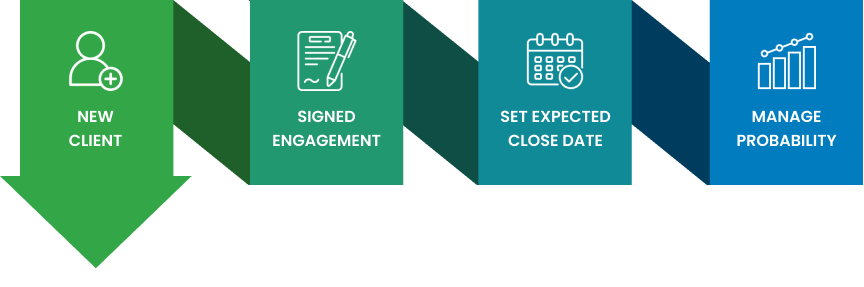
Diagram illustrating the lead-to-cash process, featuring steps from acquiring a new client to managing probability, emphasizing signed engagement and setting expected close dates.
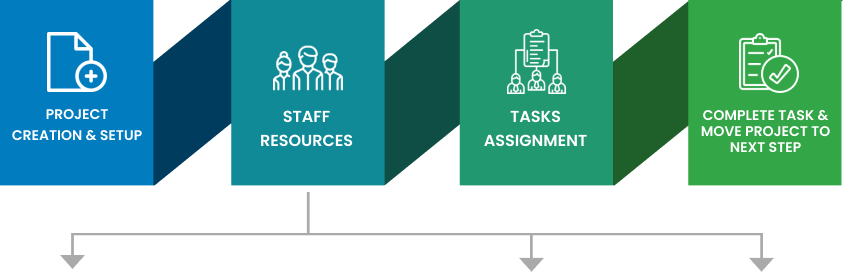
Project creation and setup, staff resources management, tasks assignment, and project progression steps in a lead-to-cash system diagram illustrating workflow efficiency.
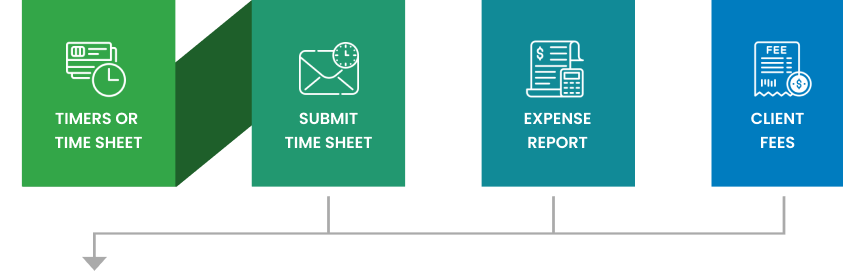
Flowchart illustrating the lead-to-cash process with steps: Timers or Time Sheet, Submit Time Sheet, Expense Report, and Client Fees, emphasizing seamless integration for managing billing and revenue tracking.
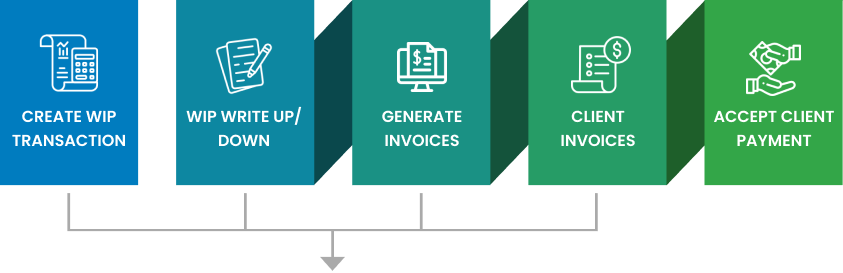
Lead to Cash process diagram illustrating steps: create WIP transaction, WIP write up/down, generate invoices, client invoices, and accept client payment, emphasizing seamless revenue management.
Icons representing general ledger, financials, and analysis for integrated lead-to-cash systems in PracticeERP software.


This Lead to Cash diagram shows the full journey of turning a lead into revenue. It begins with marketing and sales, flows through project delivery and time tracking, and ends with invoicing, payment collection, and financial reporting. Each step is linked to the next, creating a seamless process that helps teams manage work, cash flow, and client relationships with clarity.

Being able to track clients and predict upcoming revenue is huge.

Tim Moy
MBE CPAs

Track prospects, manage billing, and forecast revenue in one system.