
Newsletter October 2026
Making AI Work for Your Firm
For CPA firms, the promise of AI isn’t another tool to manage. It’s less time spent on repetitive work and more time for the conversations, decisions, and advice clients value.
Getting there starts with the basics: reliable information, clear processes, and a practical understanding of where AI can help. Just as important are the safeguards that protect client data and keep professional judgment at the center.
Your firm doesn’t need to transform overnight. Start with one everyday challenge, explore where AI could support your team, and build from there.


From the PracticeERP Blog
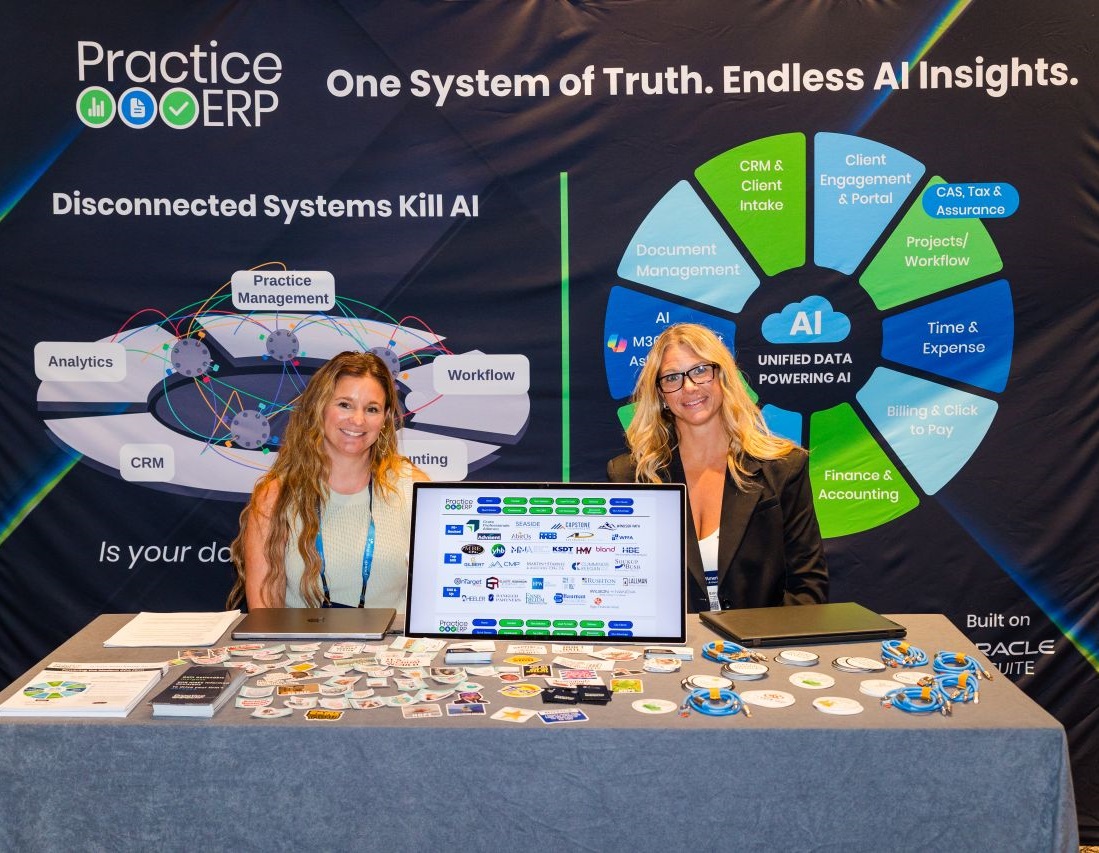
Atlanta, CPAmerica and a Lot of Really Good Conversations
What does it take to become an AI-ready firm? At CPAmerica in Atlanta, the conversation kept coming back to a familiar challenge: valuable information spread across disconnected systems. Our latest article explores why connected data matters, how it supports a clearer view of your firm, and why solving one practical problem can be more useful than adding another tool.
Explore AI Use Cases By Role

Managing Partner / CEO
See which clients make you money and which ones drain your team. Partners often guess at “good” vs. “bad” clients. PracticeERP AI removes the guesswork.
Questions this role can ask
“Give me my weekly managing partner briefing.”
Executive summary of revenue, realization, WIP, AR, utilization, overdue work, client risk, and top action items
“Where are we leaking revenue?”
Summary of unbilled time, write-downs, stale WIP, missed billing milestones, and recurring realization problems
“Which clients are least profitable this quarter?”
Ranked list by client showing revenue, hours worked, realization, write-offs, partner owner, and profitability trend
“Which service lines are most profitable?”
Profitability by tax, audit, CAS, advisory, and other services with realization, staff hours, and write-offs
“Which partners have the highest write-off rates this quarter?”
Partner scorecard with value worked, billed, write-off amount and %, plus top contributing engagements
“Summarize firm performance by office.”
Office-level scorecard with revenue, realization, utilization, WIP, AR, overdue work, and service-line mix
“What should leadership focus on this week?”
Prioritized list of firm risks, client issues, billing concerns, overdue work, and staffing pressure points

Partners / Client Relationship Owners
These should help partners manage their book of business, client relationships, profitability, and fee conversations.
Questions this role can ask
“Give me my weekly managing partner briefing.”
Executive summary of revenue, realization, WIP, AR, utilization, overdue work, client risk, and top action items
“Where are we leaking revenue?”
Summary of unbilled time, write-downs, stale WIP, missed billing milestones, and recurring realization problems
“Which clients are least profitable this quarter?”
Ranked list by client showing revenue, hours worked, realization, write-offs, partner owner, and profitability trend
“Which service lines are most profitable?”
Profitability by tax, audit, CAS, advisory, and other services with realization, staff hours, and write-offs
“Which partners have the highest write-off rates this quarter?”
Partner scorecard with value worked, billed, write-off amount and %, plus top contributing engagements
“Summarize firm performance by office.”
Office-level scorecard with revenue, realization, utilization, WIP, AR, overdue work, and service-line mix
“What should leadership focus on this week?”
Prioritized list of firm risks, client issues, billing concerns, overdue work, and staffing pressure points

COO / Firm Administrator / Operations Leader
These should show operational control: stalled work, missing processes, bottlenecks, task gaps, and workflow issues.
Questions this role can ask
“What work is stuck and who owns it?”
Bottleneck report showing overdue tasks, days stalled, assigned staff, reviewer, partner, and dependency notes
“Summarize what's due this week across all active engagements.”
Digest grouped by day with task, engagement, assigned staff, status, and overdue flags
“Which engagements are likely to miss deadline?”
Engagements with incomplete tasks, overdue milestones, capacity issues, and recommended escalation owner
“Are any recurring engagements missing a task for next month?”
List of gaps showing engagement name, client, recurrence frequency, and last task completion date
“Which tasks are repeatedly completed late?”
Recurring late tasks by service line, staff member, client, reviewer, and root cause pattern
“Which engagements are missing required fields?”
Engagements missing partner, manager, due date, budget, service line, billing type, or recurring task setup
“What should I focus on today?”
Prioritized daily action list based on deadlines, client risk, overdue AR, stalled work, and high-value engagements

Billing Manager / Controller / Finance Team
These should focus on AR, WIP, collections, billing accuracy, write-offs, and cash flow.
Questions this role can ask
“What's my average days to collect by client over the last 90 days?”
Client-ranked table with average DSO, total invoiced, total collected, and outstanding balance
“Which clients have unpaid invoices and active work?”
Clients with outstanding AR who still have active engagements, aging bucket, partner, and next action
“What WIP is at risk of becoming a write-off?”
Stale WIP by client, engagement, partner, age, budget variance, and estimated write-off risk
“Forecast next month's billing.”
Projected invoices based on active engagements, recurring fees, WIP, completion status, and billing dates
“Which invoices are likely to be disputed?”
Invoices tied to scope creep, low touchpoints, large increases, write-offs, or prior complaints
“Flag engagements that are over budget but not yet invoiced.”
Table showing budget vs. actual hours, unbilled WIP balance, and estimated write-off exposure
“Summarize why realization dropped this month.”
Explanation showing service lines, clients, staff, write-offs, budget overruns, and unusual activity driving the drop

Resource Manager / HR / Staff Manager
These should help with capacity planning, burnout prevention, utilization, and staffing decisions.
Questions this role can ask
“Which staff members are approaching overtime this week?”
Staff within 10% of weekly capacity with hours remaining and top engagements consuming their time
“Which staff are overloaded during tax season?”
Capacity forecast by person, week, department, and engagement with burnout/overtime risk flags
“Which staff are underutilized next week?”
Staff with available hours by skill set, current assignments, and suggested engagements they could support
“Who has capacity to help with this client?”
Available staff by role, skill set, current workload, and prior experience with similar engagements
“Which teams have the highest utilization?”
Utilization by person, team, office, service line, and comparison to target
“Where are we relying too heavily on partners or managers?”
Engagements with high partner/manager time, possible delegation opportunities, and margin impact
“Which staff are spending time outside their assigned work?”
Exceptions showing time entered to unassigned clients, unexpected service lines, or low-priority work

Engagement Manager / Project Manager
These should focus on keeping work moving, budgets on track, and scope controlled.
Questions this role can ask
“Which engagements are over budget?”
Budget vs. actual hours, remaining budget, unbilled WIP, and responsible manager
“Which fixed-fee clients are out of scope?”
Clients where actual hours exceed expected scope with variance by task type and suggested fee review amount
“Draft a scope creep summary for this client.”
Internal summary showing original scope, added work, hours impact, billing impact, and suggested client-facing language
“What tasks are blocking this engagement?”
Open dependencies, overdue tasks, assigned owner, reviewer status, and next action
“Which recurring engagements need setup changes?”
Engagements with missing recurrence, outdated templates, incomplete task lists, or inconsistent due dates
“What changed in this engagement since last week?”
Completed work, new notes, time added, budget movement, blockers, and upcoming deadlines
“Which engagements need partner attention?”
High-risk engagements based on budget variance, overdue tasks, client issues, WIP exposure, or deadline risk

CAS / Advisory Leader
These should help with capacity planning, burnout prevention, utilization, and staffing decisions.
Questions this role can ask
“Which clients are ready for advisory conversations?”
Clients with growth, complexity, recurring questions, cash flow issues, multiple entities, or reporting needs
“Which clients have growing advisory opportunities?”
Clients with repeated questions, business growth indicators, new entities, complex needs, or service gaps
“Which clients haven't used all the services they bought?”
Contracted services, completed work, unused scope, upcoming deadlines, and follow-up recommendations
“Which clients should get a year-end planning touchpoint?”
Clients ranked by revenue, advisory potential, complexity, prior planning activity, and last touchpoint
“Show me CAS clients with declining margins.”
Clients with falling realization, rising hours, unchanged fees, and increased service complexity
“Which clients are good candidates for monthly recurring packages?”
Clients with predictable recurring work, stable hours, consistent scope, and historical fee comparison
“What advisory services are we not offering to current clients?”
Service gap analysis by client, industry, current services, and potential advisory opportunities

Marketing / Growth / Business Development
These should help firms identify cross-sell, upsell, retention, and relationship opportunities.
Questions this role can ask
“Which clients are good candidates for additional services?”
Clients ranked by service gaps, revenue potential, current relationship owner, and recent activity
“Which clients need a relationship touchpoint?”
Clients with no recent contact, upcoming deadlines, open issues, or strategic value
“Create a campaign list for year-end planning.”
Segmented list by client type, service line, partner, revenue, and planning opportunity
“Which industries are growing in our client base?”
Client and revenue trends by industry, service line, office, and partner
“Which clients resemble our best advisory clients?”
Lookalike list based on revenue, service mix, complexity, engagement history, and profitability
“Summarize top client expansion opportunities.”
Ranked list of clients with upsell potential, current services, missing services, and suggested next action
“Which clients have had no marketing or relationship activity?”
Clients missing campaign activity, partner touchpoints, event invites, or nurture sequences

IT / Data / System Administrator
See which clients make you money and which ones drain your team. Partners often guess at “good” vs. “bad” clients. PracticeERP AI removes the guesswork.
Questions this role can ask
“Find duplicate or messy client records.”
Potential duplicate clients, missing fields, inconsistent names, incomplete owner assignments, and cleanup actions
“Which records are missing required fields?”
Missing industry, owner, service line, partner, billing type, due date, or engagement status
“Which clients have no assigned relationship owner?”
Orphaned clients with active engagements, revenue value, last contact date, and suggested owner assignment
“Where is our data incomplete for AI reporting?”
Fields preventing accurate AI answers, including missing budgets, owners, statuses, dates, or billing setup
“Which integrations are creating duplicate or conflicting records?”
Conflicting client records, duplicate contacts, mismatched IDs, and source system notes
“Which workflows are not being followed?”
Exceptions where users skipped steps, missed required fields, or completed tasks out of sequence
“What data should we clean before using AI?”
Prioritized data cleanup list by impact: clients, engagements, billing records, staff assignments, and task templates

Individual Staff / Accountants
These should be personal productivity use cases that help staff know what to do, what is overdue, and where to focus.
Questions this role can ask
“What do I need to complete today?.”
Personal task list prioritized by due date, client importance, dependency, and overdue status
“What work is waiting on me?”
Tasks assigned to the staff member with status, due date, engagement, client, and next step
“Summarize this client before I start work.”
Client overview with active engagements, prior notes, open tasks, deadlines, and billing context
“Which of my tasks are overdue?”
Overdue tasks grouped by client, engagement, due date, and escalation risk
“What changed on my engagements since yesterday?”
New notes, task updates, due date changes, review comments, and client communications
“Help me prioritize my workload this week”
Suggested weekly work plan based on due dates, client risk, workload, and partner priorities
“Which time entries am I missing?”
Missing or incomplete time entries by day, client, engagement, and expected work activity
Webinars to Share
AI, Compliance & ERP: Getting Your Data House in Order
Friday, November 6, 2026 12:00 PM EST As firms explore AI, data management and oversight need to be part of the conversation. This session examines how AI, compliance, and ERP systems intersect, and how connected systems can support more structured, consistent operations. Gain perspective on aligning emerging technology with established business practices and governance requirements.
Building a Technology Strategy for Your Business
Thursday, November 12, 2026 12:00 PM EST The right technology should support your firm's goals, not add complexity. This webinar explores how to build a long-term technology strategy with an ERP at its core. Learn how to evaluate and prioritize supporting tools, connect your systems, and keep your technology investments aligned with your needs as your firm grows.
By the Numbers
5 Hours Per Week
lost, on average, moving, re-entering, or reconciling information across tools.
86% of Accounting Professionals
expect AI to increase their capacity to deliver advisory work over the next 12 months.
85% of Accounting Professionals
believe the firms that win the next decade will combine AI efficiency with human expertise and trust.
Where You Can Find Us
2026 CPA 360 Insight Summit
November 2-4, 2026 Madison, WI
Digital CPA Conference
December 6-9, 2026 San Diego, CA
We're Here to Help
Get instant answers to common questions.